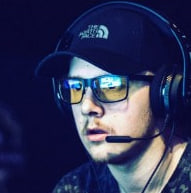
Donner tant de bons conseils en 1h c’est énorme ! La connaissance du jeu est parfaite jusque dans les moindres détails. Merci Maniika !
MRFR4NK3NST3IN - Clash Royale
Cours génial, les questions que j'avais ont eu leurs réponses ! Je reprendrais sûrement du coaching de manière régulière. Ouahleouff est posé et pro!
XVEEN4X - Fortnite
Donner tant de bons conseils en 1h c’est énorme ! La connaissance du jeu est parfaite jusque dans les moindres détails. Merci Maniika ! AKNYZ- - FIFA 20 Cours génial, les questions que j'avais ont eu leurs réponses ! Je...
FLEXIA - eFootball PES 2020
Excellent coach ! Il vous donnera les meilleurs conseils pour vous améliorer vous allez voir de net amélioration dans votre jeu après son passage!!
KAOKOR - Rocket League
J'ai pu profiter des services peu chers de Faykow. Il a su s'adapter à mes besoins, en prenant en compte mon niveau actuel (1850~) et mes objectifs
DATSENA - Apex Legends
Super coaching, on comprend tout de suite ce qui ne va pas. Rien de tel que l'exercice par la pratique. Résultats en ranked très rapides !
Olivier U. - FIFA 20
Mon coach FIFA a tout de suite détecté mes faiblesses. J'ai encore 3h de cours avec Mino7x, ça va le faire pour battre mes potes.
Serge D. - FIFA 19
Je joue souvent mais je ne progresse plus, alors j’ai testé le service en prenant 5h. Ca-y-est, je suis une bête sur FUT grâce à Vitality Maestro.
Nabil S. - Fortnite
Mes parents m’ont offert 2h pour mon anniversaire. C'est vraiment top de se faire coacher par un joueur pro comme G4B Pickiss ! Merci
Comment ça se passe ?
Choisis ton jeu préféré
Sélectionne ton coach
Définis tes objectifs
Amuse toi en apprenant
Débriefe avec ton coach
Comment ça se passe ?
C’est quand tu veux
Nos coachs sont disponibles 7/7 et 24/24
C’est simple
Réserve un cours en 3 clics !
C’est personnalisé
Tous nos cours sont individuels
C’est sécurisé
Paiement par carte bancaire ou Paypal
Les règles du jeu
Jouer aux jeux vidéo doit rester avant tout un plaisir !
Tous nos coachs sont sensibilisés pour éduquer les enfants aux bonnes pratiques, comme notamment les conditions idéales pour jouer, le contrôle du temps passé, ou les limites à se fixer. N’hésites pas à échanger avec tes enfants pour les accompagner dans un usage responsable des jeux vidéo à la maison, mieux encore partage une partie avec eux !
Si tu souhaites en savoir plus sur le jeu vidéo expliqué aux parents, rends-toi sur le site